Everything Club Roster does
One app for the people who run your gym or shop, the team on shift and, in a gym, the instructors on the floor. Here's all of it, section by section, with what only gyms or only shops have marked.
Staff roster
Your team's shifts in every area, rostered against your cover rules and costed as you go.
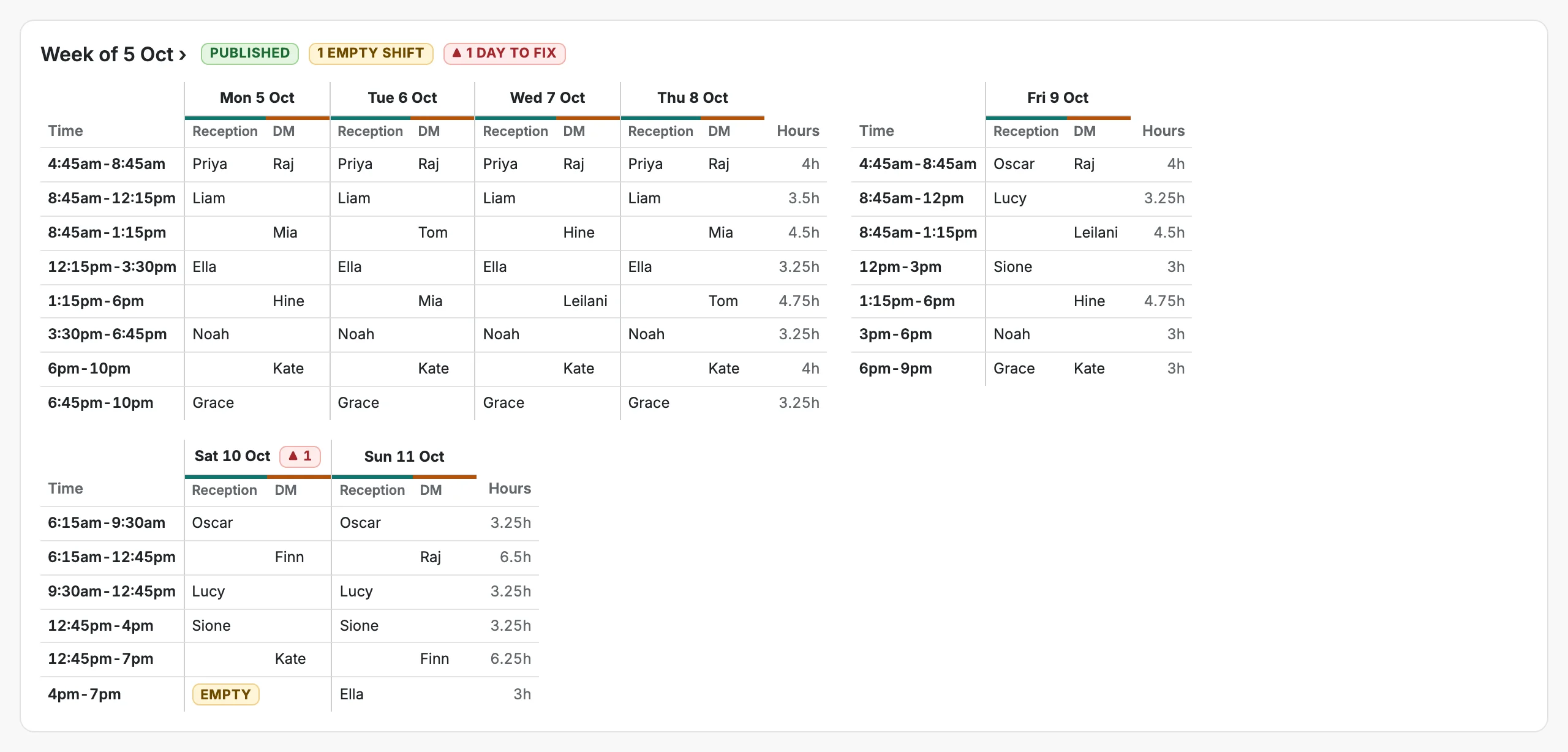
Week and month views
Plan a week shift by shift, or see the whole month on one page, the way a spreadsheet would.
Drag, copy and swap
Drag a shift to move it, hold Alt to copy it, drop it on another shift to swap the two. Undo any change.
Copy a week in one go
Fill from everyone's usual week, or copy any of the last four weeks into the days still empty.
Cover rules, to the minute
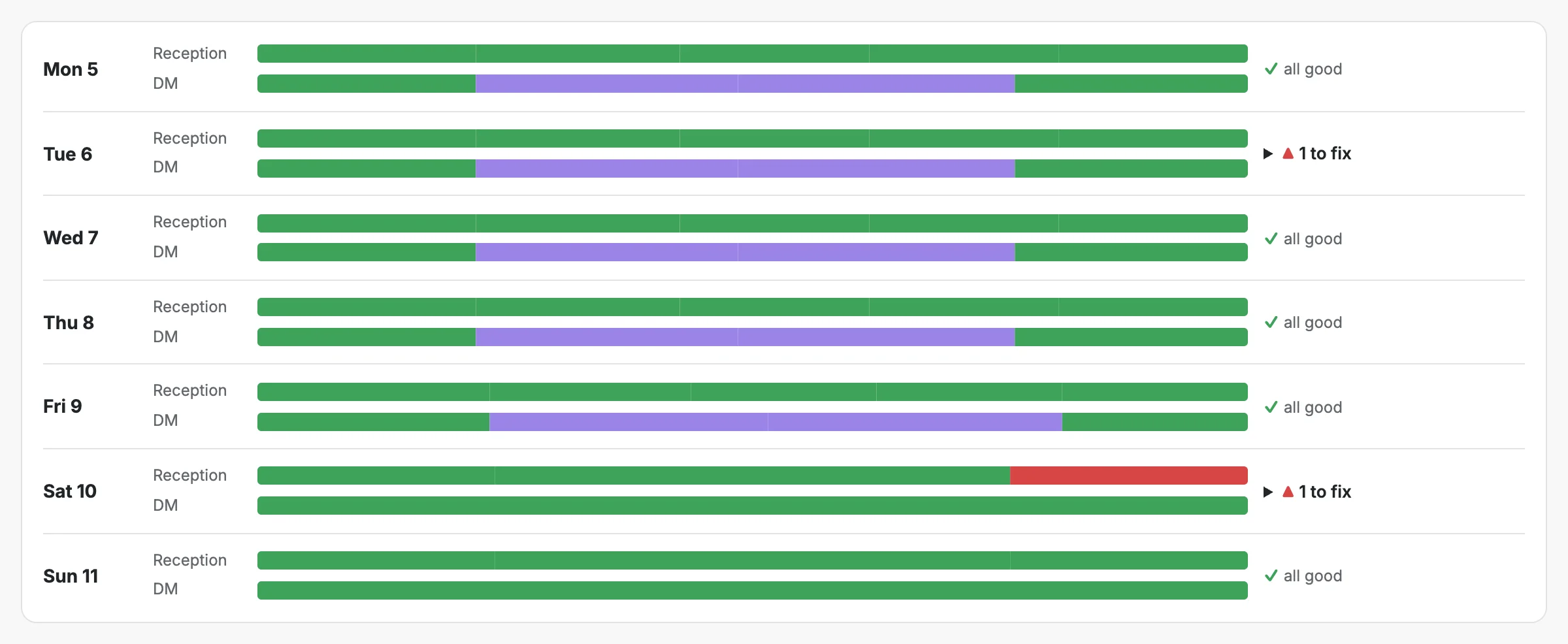
Set how many must be on in each area while you're open. Cover bars show every gap and overlap.
Checks while you build
Availability, leave, unpaid breaks, rest between shifts, weekly hours and long runs of days.
Empty and unconfirmed shifts
Leave a shift empty for someone to pick up, or mark one as still to confirm with the person.
Publish, and know it's seen
Staff tap Got it on a new week. Later changes only tell the people whose shifts changed.
- Gyms and clubs
Duty manager cover
Salaried managers can cover duty manager in their hours, with any paid cover in that window flagged.
Several stores
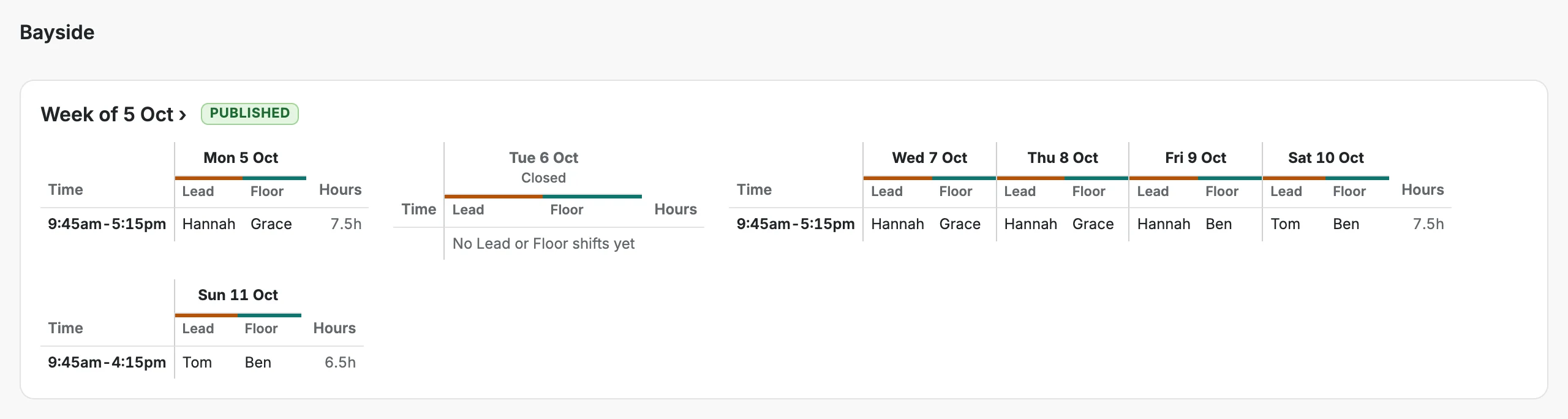
A shop with more than one store runs them all in one app, each with its own opening hours, closed days and cover.
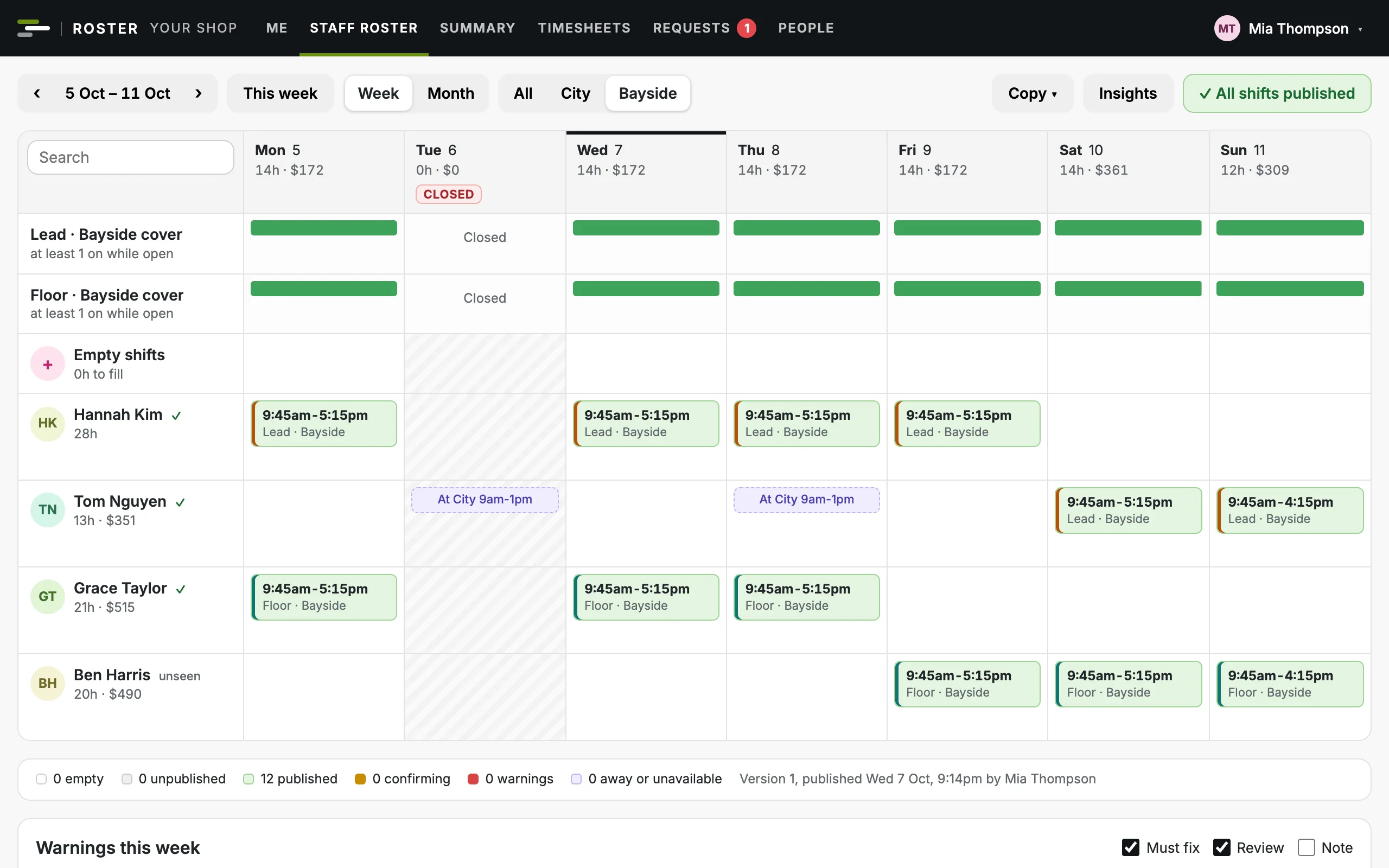
All stores, or one
See every store together or one at a time, with its own lanes, people, warnings, hours and wages. Each manager's computer remembers their choice.
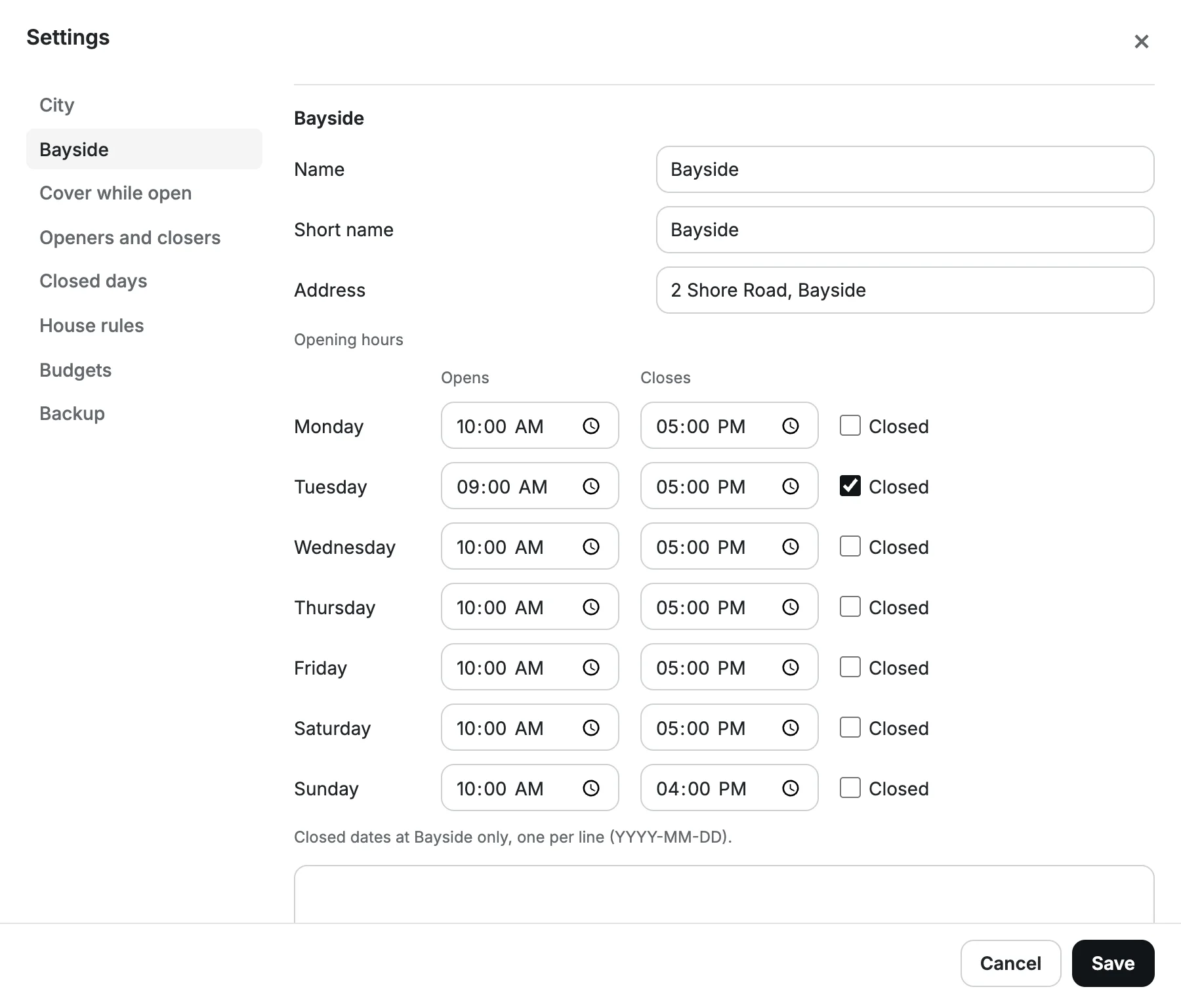
Each store's own hours
Opening hours by day for each store, a weekday closed every week, and dates closed at one store only.
Cover at each store
Areas like Lead and Floor at each store, each with its own cover rule and cover bar.
One person, two stores
Roster anyone at any store. Each store's roster shows when they're at the other, and their hours count across both.
Closed days left out
Filling from the usual week, or copying a week, leaves out each store's closed days.
A budget for each store
Each store's wages as a cost centre of its own, against its own monthly budget.
Classes and cover
The timetable lives next to the staff roster, and cover goes to the people who can actually take it.
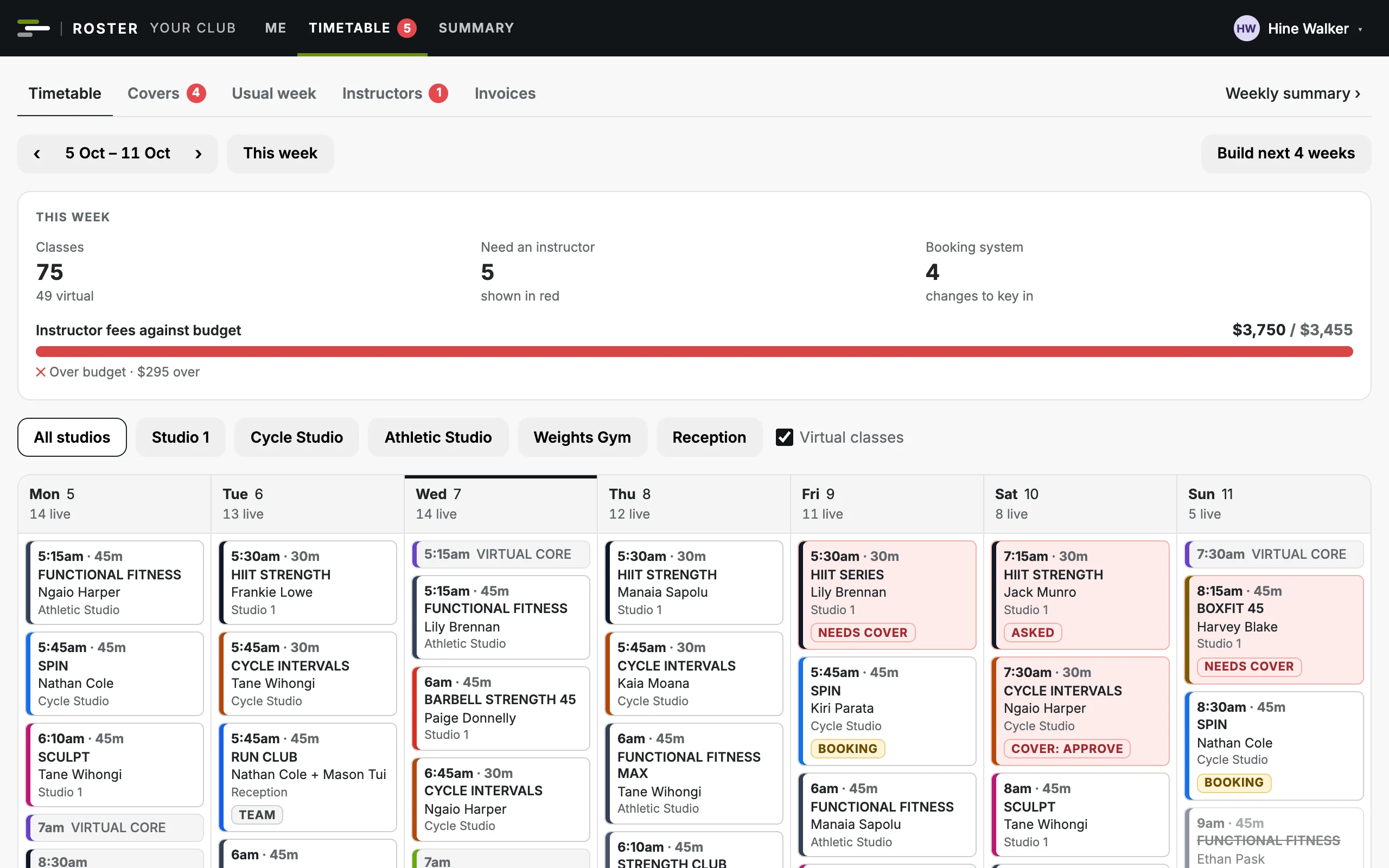
Your usual week
Your regular timetable. Build the next four weeks from it in one click; changes flow into weeks already built.
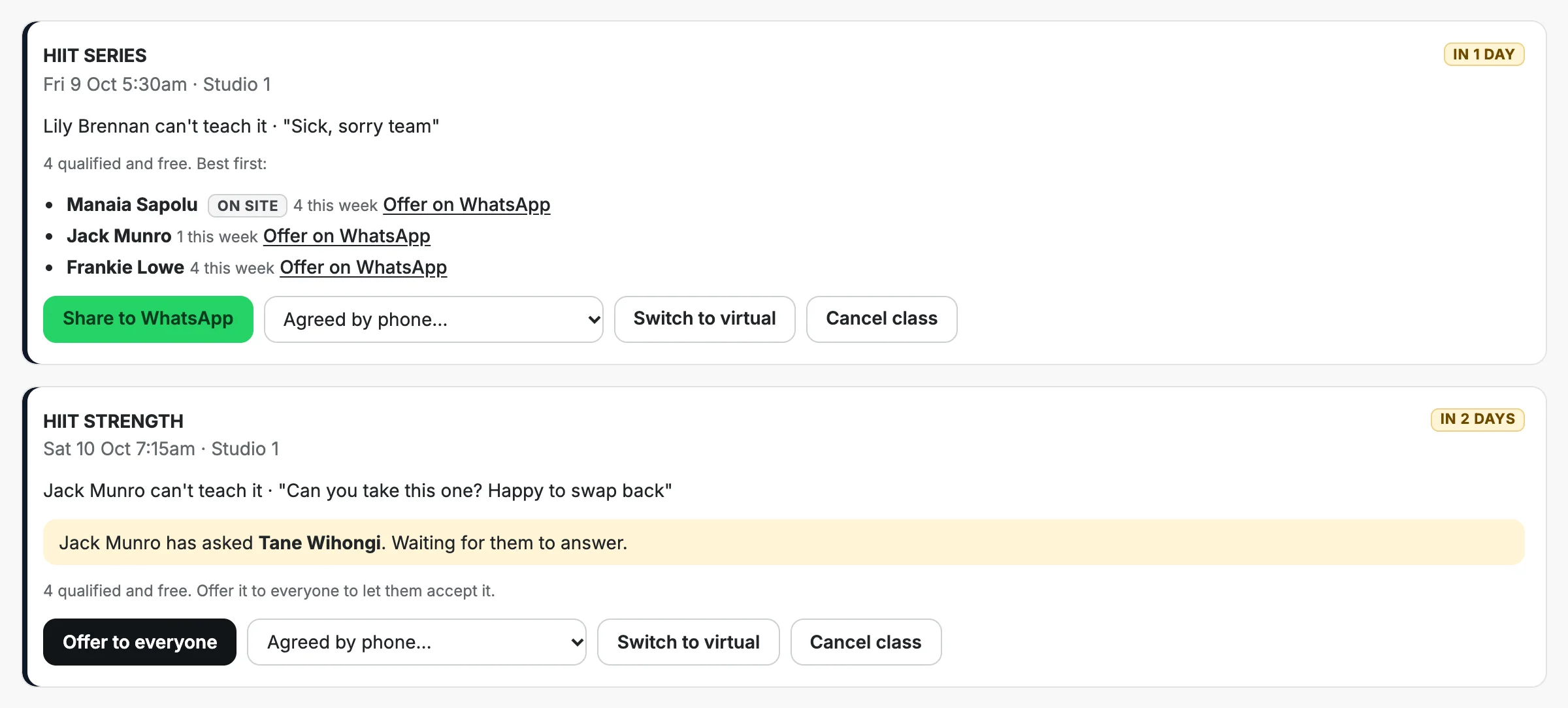
Can't teach, no reason needed
An instructor taps one button. It stays their class until someone accepts it.
Offered to the right people
Only instructors qualified for the programme and free at that time are offered it, best matches first.
Or ask one by name
Ask a particular instructor; only they can accept it until it's offered to everyone.
WhatsApp, built in
Share a cover to your instructors' group, or message the one you asked, with a link straight to the class.
Approvals your way
The first to accept gets it, or a manager approves first. One setting.
Settled by phone?
Record who agreed, so the timetable and their fees stay right. Nobody is put on a class without agreeing.
Booking system reminders
A changed class is flagged until someone has updated your booking system to match.
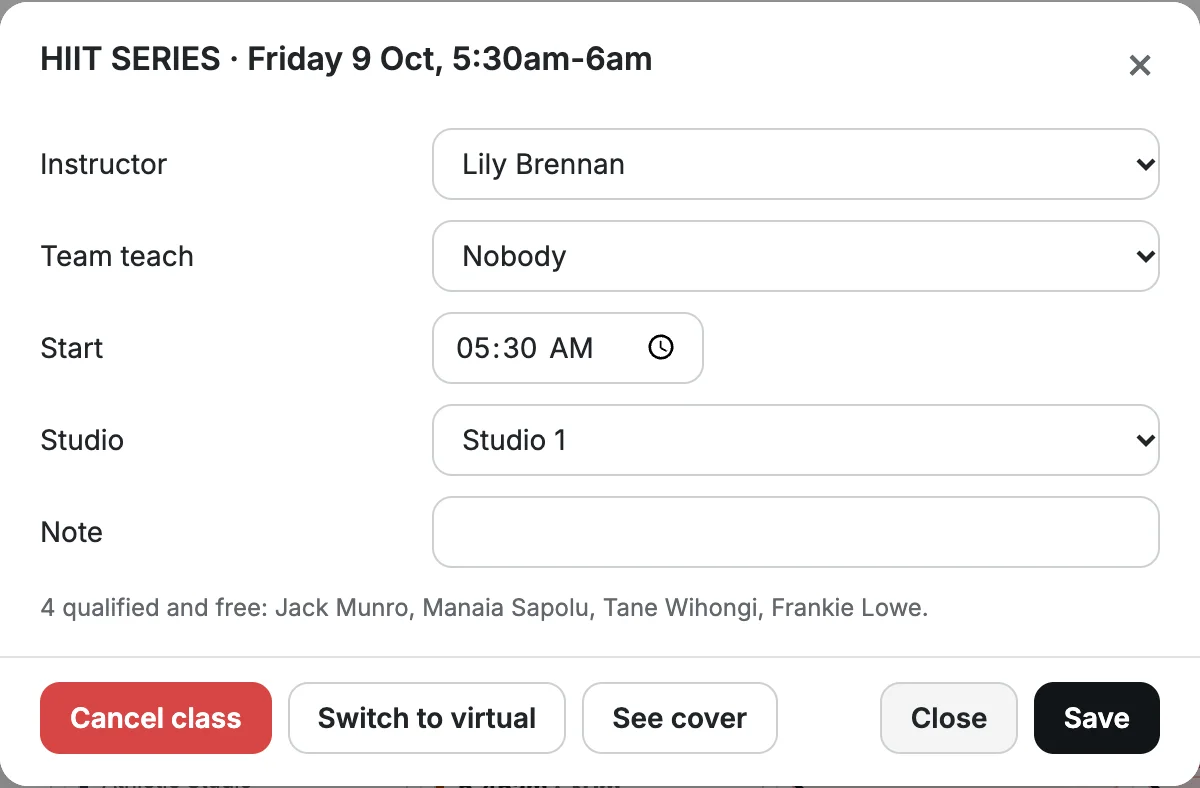
Instructors
Contractors are treated as contractors: classes are offered and accepted, and paid per class.
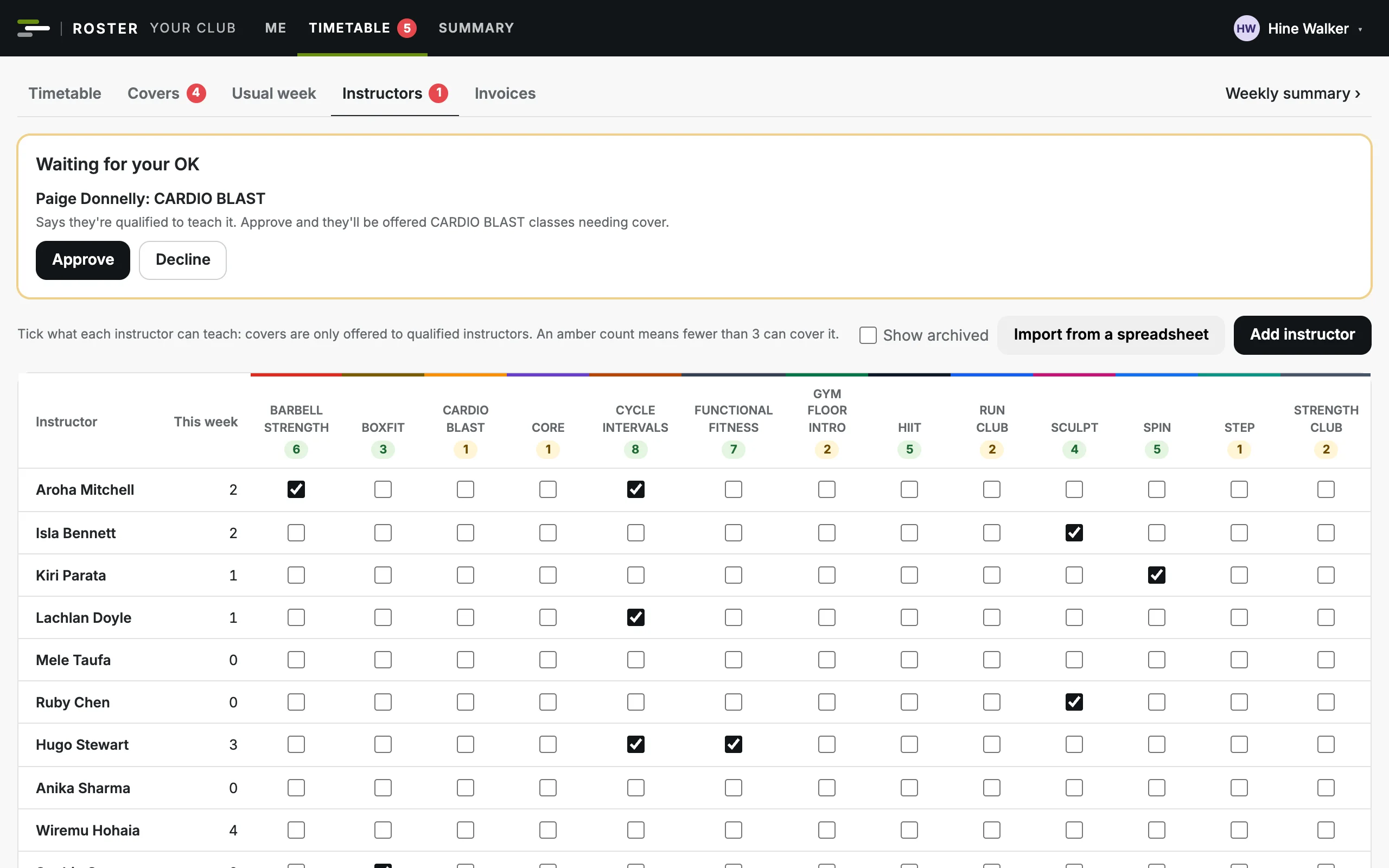
Qualifications by programme
Tick what each instructor can teach. A count in amber shows programmes fewer than three can cover.
Their own details
Instructors keep their mobile, email and programmes up to date; a new programme waits for your OK.
Days away
Instructors add days they're away, and covers aren't offered to them then.
Fees from a date
A default fee per class length, or an instructor's own, from the date it applies. Past classes keep theirs.
Import from a spreadsheet
Paste or upload your instructor list, then check every change before anything is saved.
A weekly summary
How closely the week ran to the usual week, how covers ended and how long they took to fill.
Time and pay
Hours that match the roster, and in a gym, instructor invoices you can check in a minute.
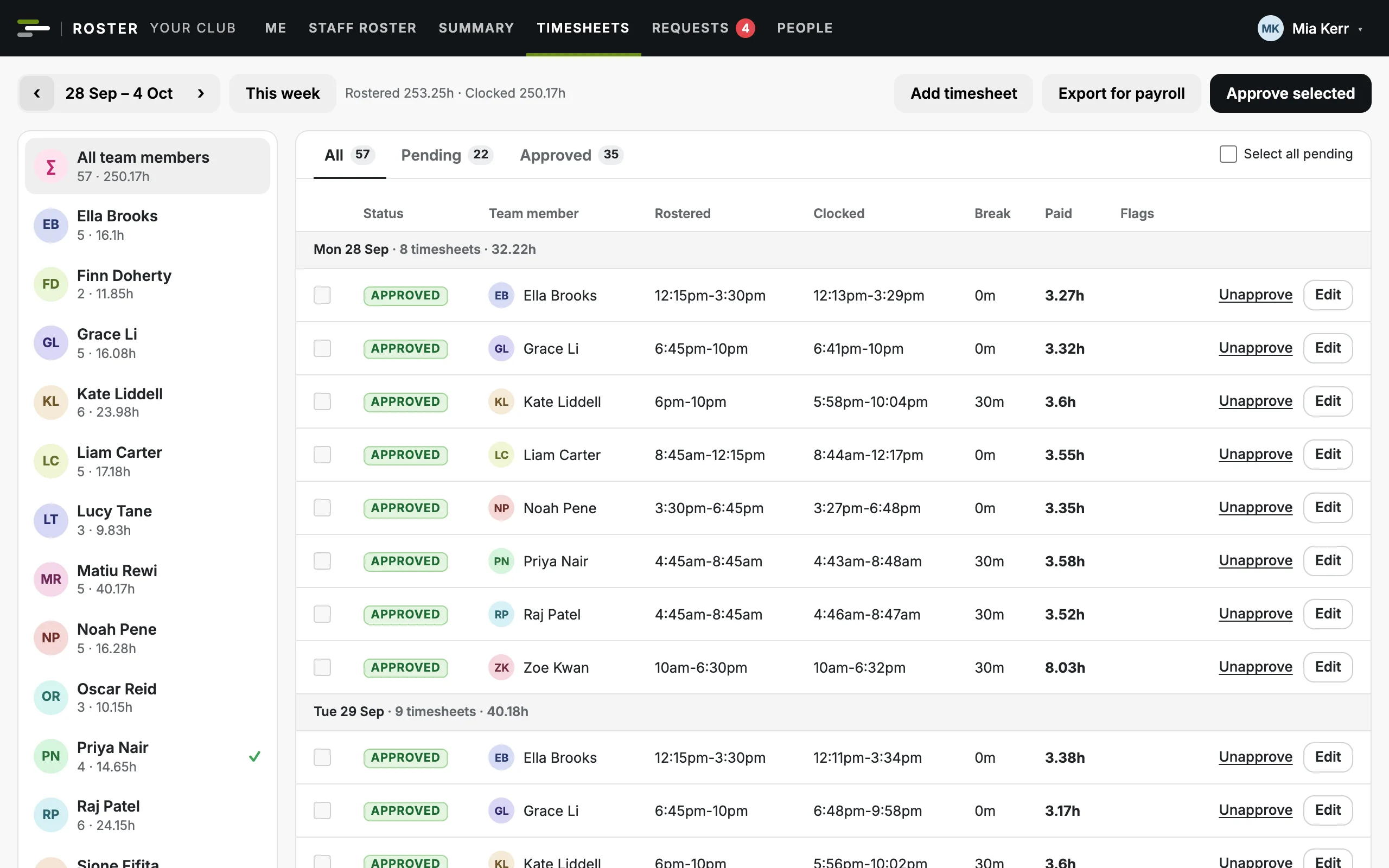
Clock in on their phone
Staff start and end their shift from the app, and are told the next time they open it if they forgot to clock out.
Timesheets against the roster
Late starts, early finishes, missed clock-outs and unrostered time are flagged for you.
Approve in bulk
Tick and approve a week of timesheets at once, then export the approved hours for payroll as CSV.
Leave in the pay week
Approved leave is listed with the timesheets, to key into payroll and tick off.
- Gyms and clubs
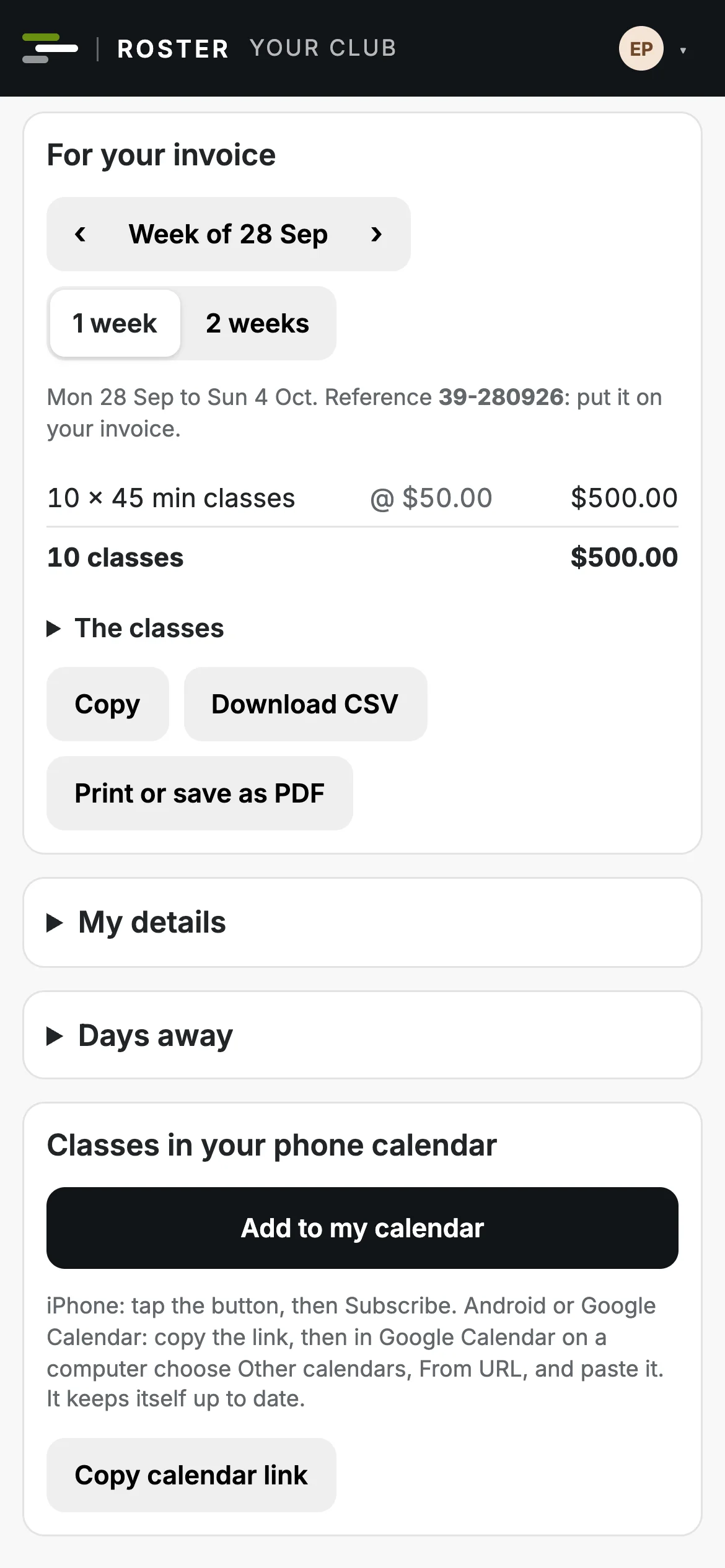
Instructor statements
Each instructor's classes for a week or fortnight, grouped as invoice lines with a reference, to copy, download or print.
- Gyms and clubs
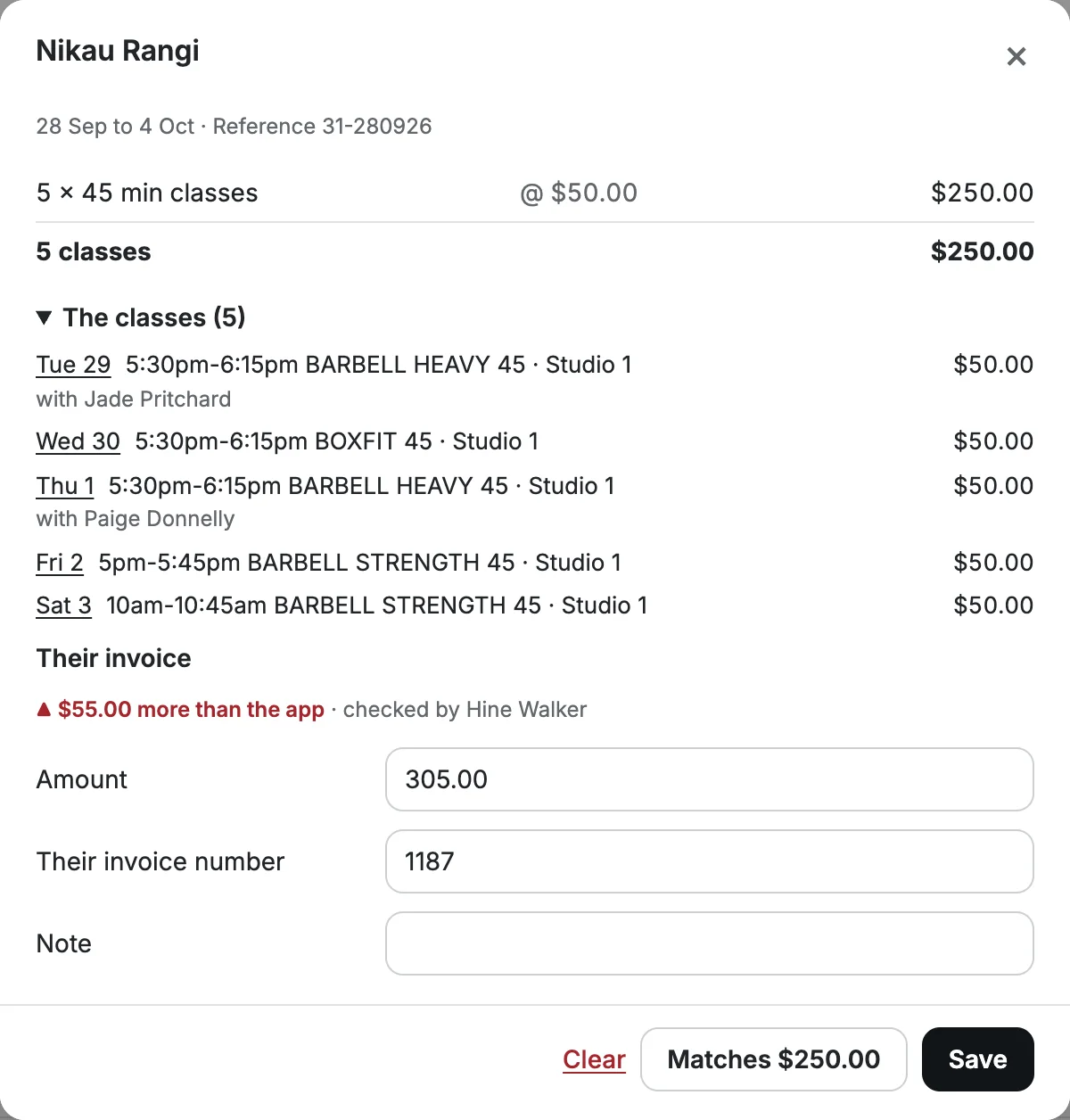
Invoice checks
Record each invoice: it matches, it's more or less than the app, or the classes changed since you checked.
Leave and requests
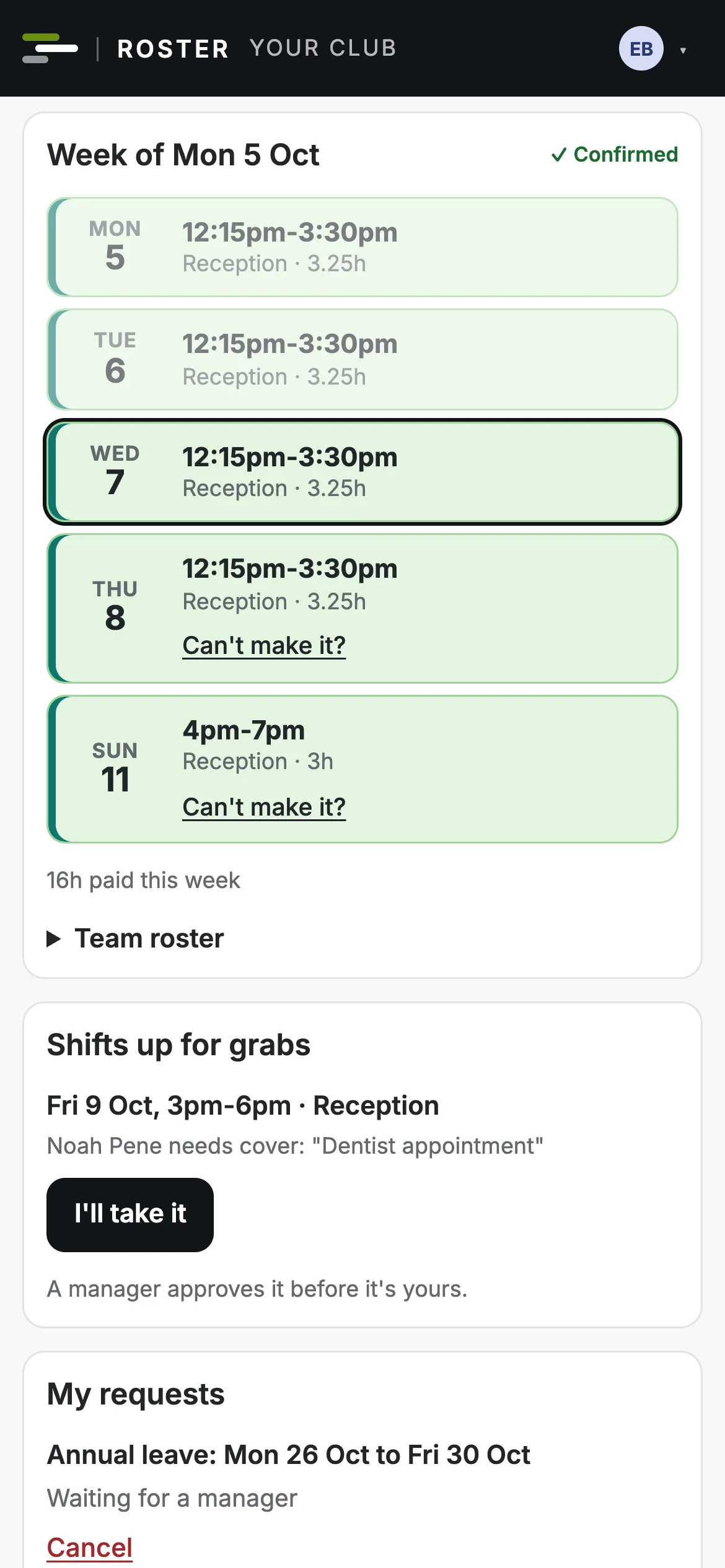
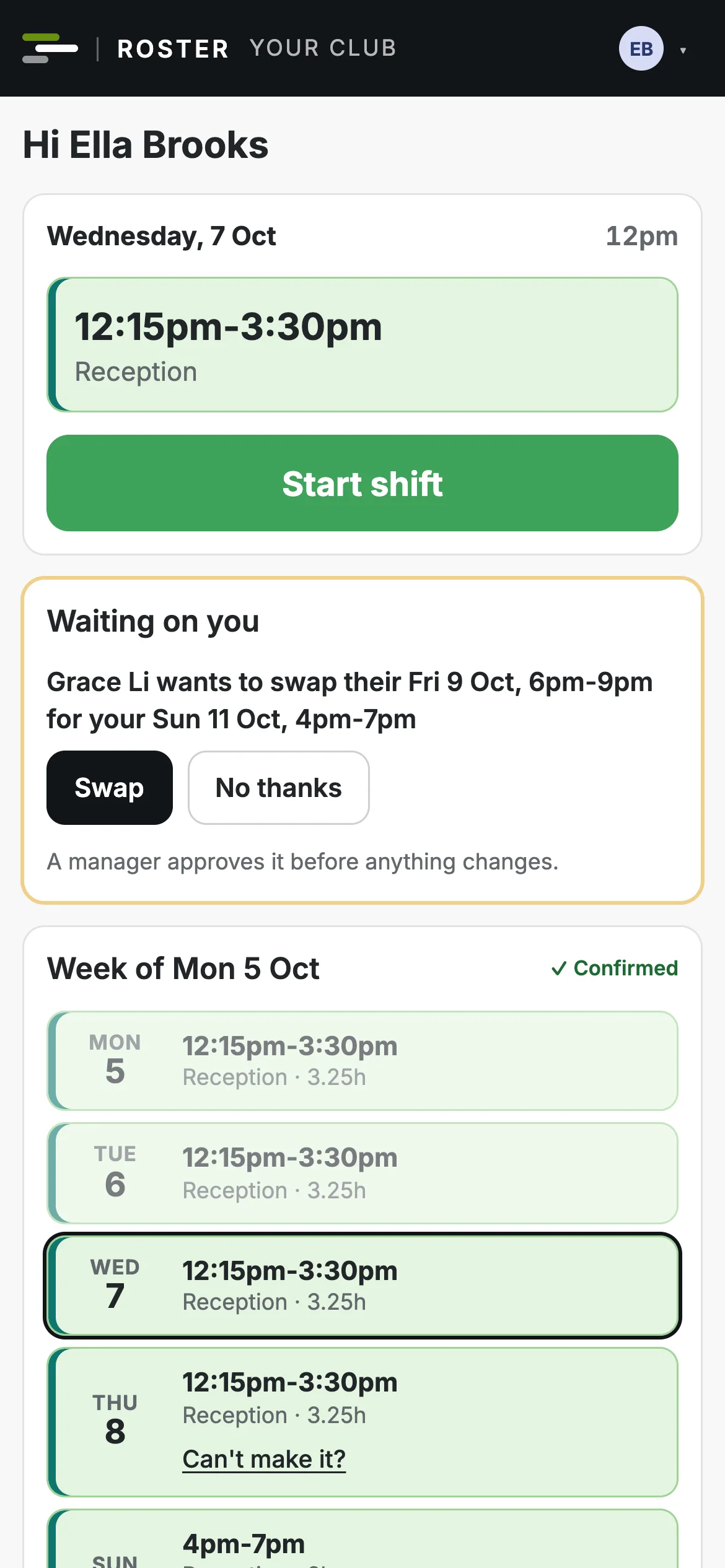
Staff ask on their phone. Managers see the clashes before they say yes.
Usual availability
Staff set the hours they can work each day, and the roster warns you if a shift doesn't fit.
Days they can't work
One-off days away, with a reason if they want to give one.
Leave requests
Annual, sick, bereavement and more. Approving can turn their shifts into empty shifts for someone else.
Cover, swap or pick up
Staff ask the team to cover, offer a shift to one person, swap with a teammate, or pick up an empty shift.
Approved by a manager
Every change is approved first, with any new warnings shown. Nobody approves their own request.
Only that change goes out
Approving publishes just that change to the people in it. The rest of the week stays as it was.
Budgets and reports
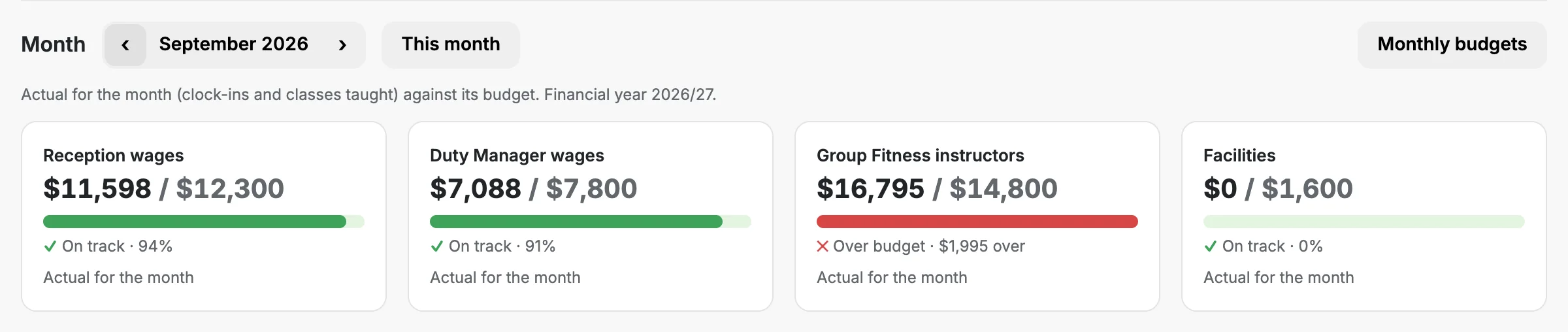
Wages, and a gym's class fees, against budget while you build, and the numbers you need for your next meeting.
Cost centres
Group your areas, stores or class fees into the cost centres from your profit and loss.
Monthly budgets
A figure for each month, pasted straight from your spreadsheet. The year adds itself up.
A month forecast
Spent so far, plus what's rostered, plus the days still to build, against the month's budget.
Weeks that are different
Give a single week its own budget, like a public holiday week or a busy season.
Cover and hours
The week's cover day by day, and each person's hours against their guarantee and four-week average.
CSV for everything
Budgets, hours and payroll, and a gym's invoices and group fitness summary, ready for your accountant.
The team app
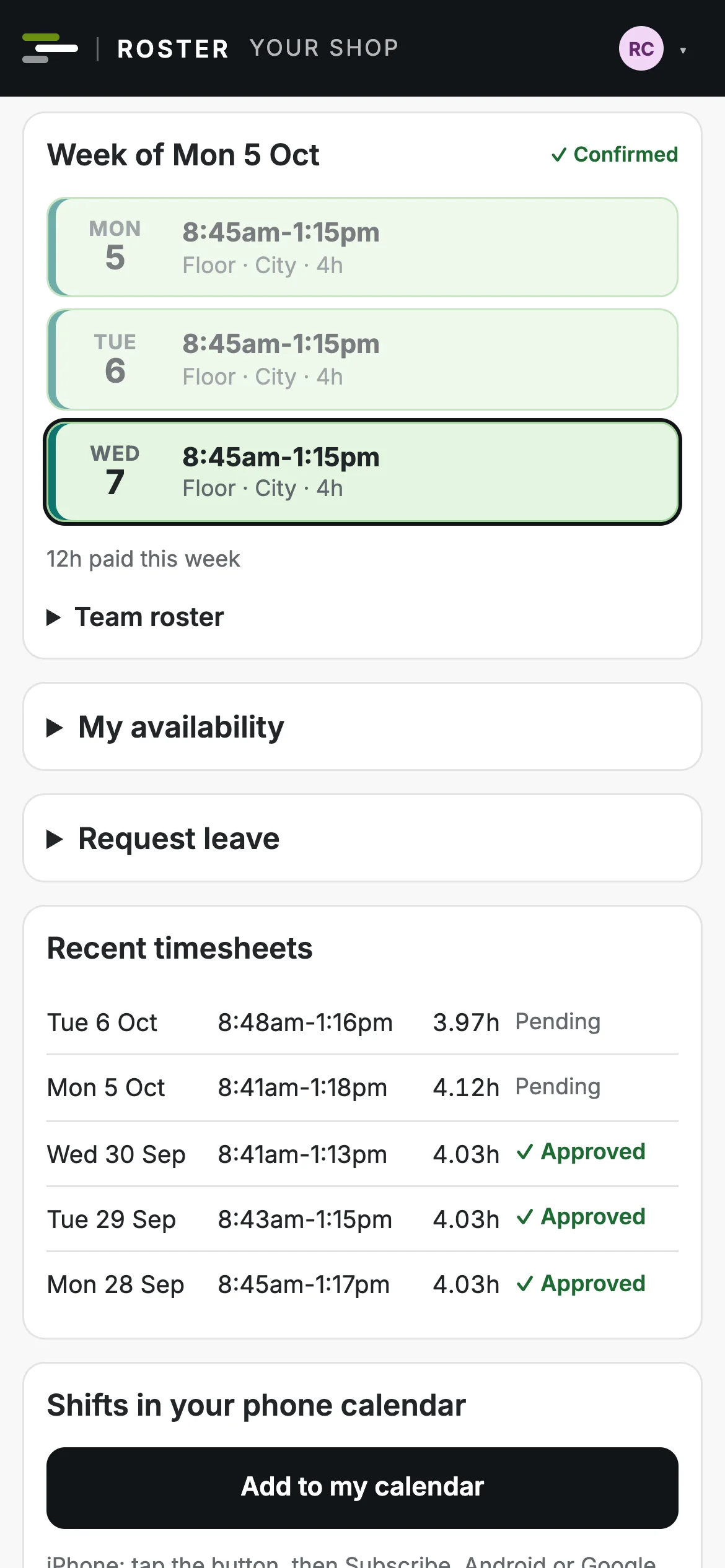
Everyone's roster on their phone, with nothing to install.
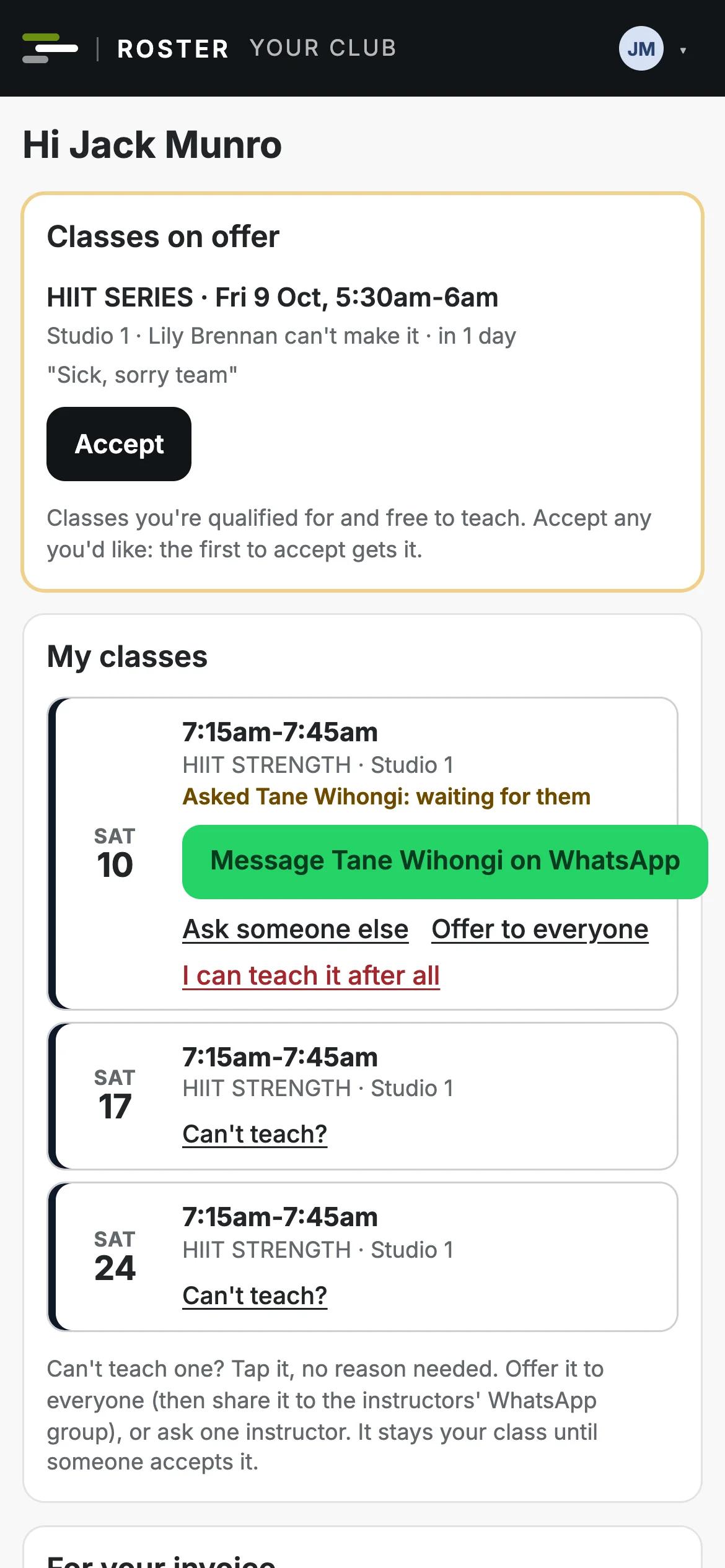
No app store
People open the roster on any phone and add it to their home screen, where it works like an app.
No passwords
Everyone signs in with their own email and a one-time code.
In their calendar
Shifts and classes in their own phone calendar, kept up to date as the roster changes.
Emails that matter
A new week, a changed shift, a class on offer, an approval: each person hears what's theirs.
- Gyms and clubs
A morning reminder
Managers get a morning email of covers still open in the next two days.
No email? No problem
For anyone without an email on file, the message is ready to copy and text to them.
Admin and security
The right people see the right things, and every change can be traced.
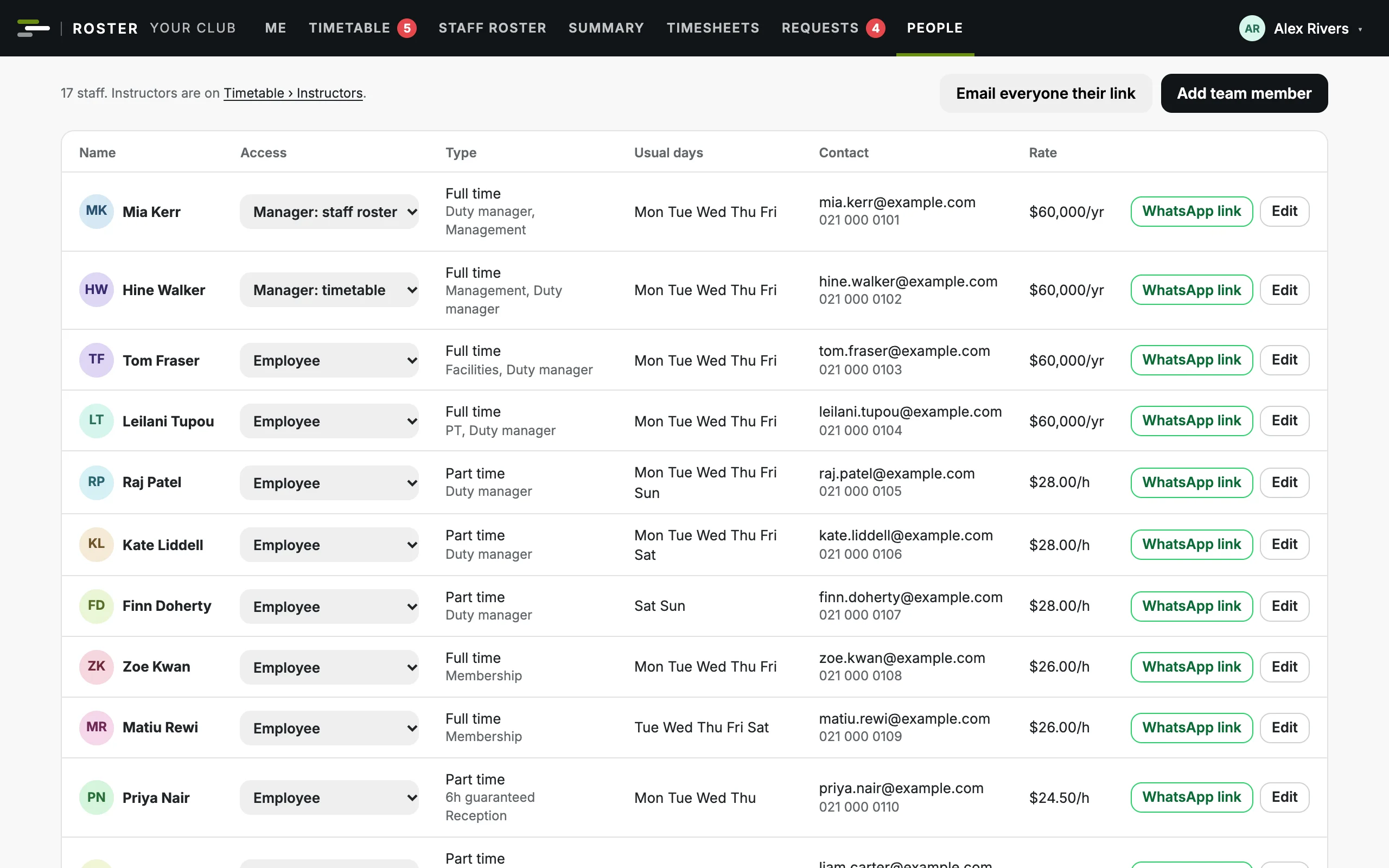
Access by role
An owner, admins, managers and the team, each seeing only their part. In a gym, a manager can have the staff roster, the timetable or both.
Pay kept private
Nobody sees the pay of anyone at their level or above. The owner can let an admin see everyone's.
A full change log
Who changed what and when, with before and after, for shifts, timesheets, pay, access and settings, and a gym's classes.
Sign out everywhere
End someone's sign-ins on every phone and computer at once, and archive people who leave.
Safe to forward
Links in the app's emails open the right page and never sign anyone in.
Backups and history
Owners and admins download a full backup any time. Nothing is wiped: people are archived, and a gym's classes cancelled.
See it with your own roster
Bring your team list, and your timetable if you run classes. We'll show you your week in Club Roster.